
QR Codes now available on all Properties
SPS is now providing the capability for you to get a QR code for each one of your properties!
QR codes are really cool because they make the whole process of accessing data from a mobile device really fast! All you need to do is point the camera of your mobile device to the QR Code and use a 2-D bar code scanner to “snap” the code and the action embedded in the QR code can be executed… for example go to a Mobile Property website!
It’s possible too, to make the QR code send a SMS TXT message or download a vcard.
Find Your QR Code on the Property EDIT page
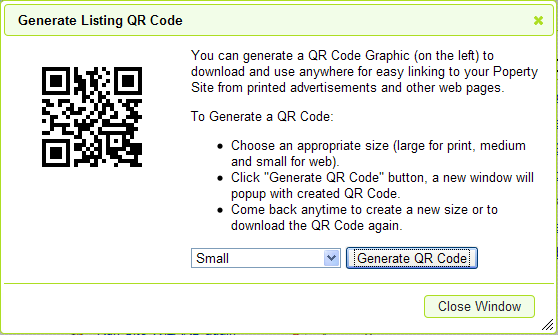 To get a QR code – just go to the EDIT page and look for the new Get QR Code link. This will then show a POPUP window that will allow you to request a SMALL, MEDIUM or LARGE QR Code.
This is then displayed in a new window.
Simply right click to save as an image on your desktop which you can use pretty much anywhere!
Or save the URL of that image and send to your printer or anyone else you need to share with.
If you want an QR Code Reader APP for your mobile device – try here:


