
NEW FEATURE: Social Share buttons make it easier to promote your property sites
One of the best things of the SPS Property Marketing system is how easy it is for you to promote your listings to potential buyers to drive more leads while getting your listings sold at the same time. We have now made it even easier for you to get your listing sites in front of more people, with social share buttons! Now you can share your listings to all of your social media profiles with the click of a button.
NOTE: This feature is only available on property websites that have been turned “on” in your user dashboard.
To access the social share options:
1) Log in to your account, and scroll down to your list of property sites. Locate the green button to the left of each site name that says “Turn On”. Click this button to make your single property website live!
2) Once you have turned on a site, click the “Edit & Promote” link to the right of that site name.

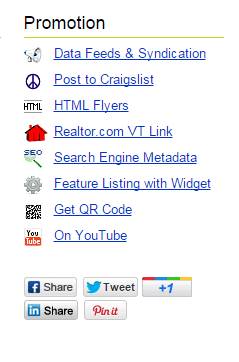
3) On the “Edit & Promote” page, you’ll see a list of options under “Promote”. At the bottom of this list you will see 5 buttons for various social media sites – Facebook, LinkedIn, Twitter, Google+, and Pinterest. This allows you to share each property website across your social networks for even more visibility!
Try it out today and drive more traffic (and more LEADS) to your single property websites!


